Proxmox Explained: The Ultimate Open-Source Hypervisor for Your Home Lab
Are you tired of your home lab feeling like a tangled mess of single-purpose machines, each demanding its own power plug and precious rack space? Do you dream o


Are you tired of your home lab feeling like a tangled mess of single-purpose machines, each demanding its own power plug and precious rack space? Do you dream of a consolidated, flexible, and powerful environment where you can spin up servers, experiment with new software, and manage everything from a single pane of glass? If so, then Proxmox is about to become your new best friend.
What is Proxmox? Your Home Lab's New Command Center
At its core, Proxmox Virtual Environment (VE) is a powerful, open-source server virtualization management platform. It's a full-fledged operating system based on Debian Linux, designed from the ground up to host and manage virtual machines (VMs) and containers on a single physical server.
Think of it as the ultimate landlord for your digital services. Instead of buying a separate house (physical server) for each tenant (application), Proxmox lets you build an apartment building (the hypervisor) where many tenants can live comfortably and efficiently.
Proxmox VE: A Unified Virtualization Platform
Proxmox VE uniquely integrates two robust virtualization technologies:
- KVM (Kernel-based Virtual Machine): This is full virtualization, allowing you to run entirely separate operating systems (Windows, Linux, macOS, etc.) within their own isolated environments, complete with their own virtual hardware.
- LXC (Linux Containers): A lightweight alternative, LXC allows you to run multiple isolated Linux systems (containers) on a single Linux host. They share the host system's kernel, making them much faster to start and requiring fewer resources than traditional VMs.
This powerful combination means you get the best of both worlds: the isolation and flexibility of VMs when you need it, and the speed and efficiency of containers for Linux-based applications.
Key Components Under the Hood
Proxmox isn't just a hypervisor; it's a complete ecosystem. Key integrated features include:
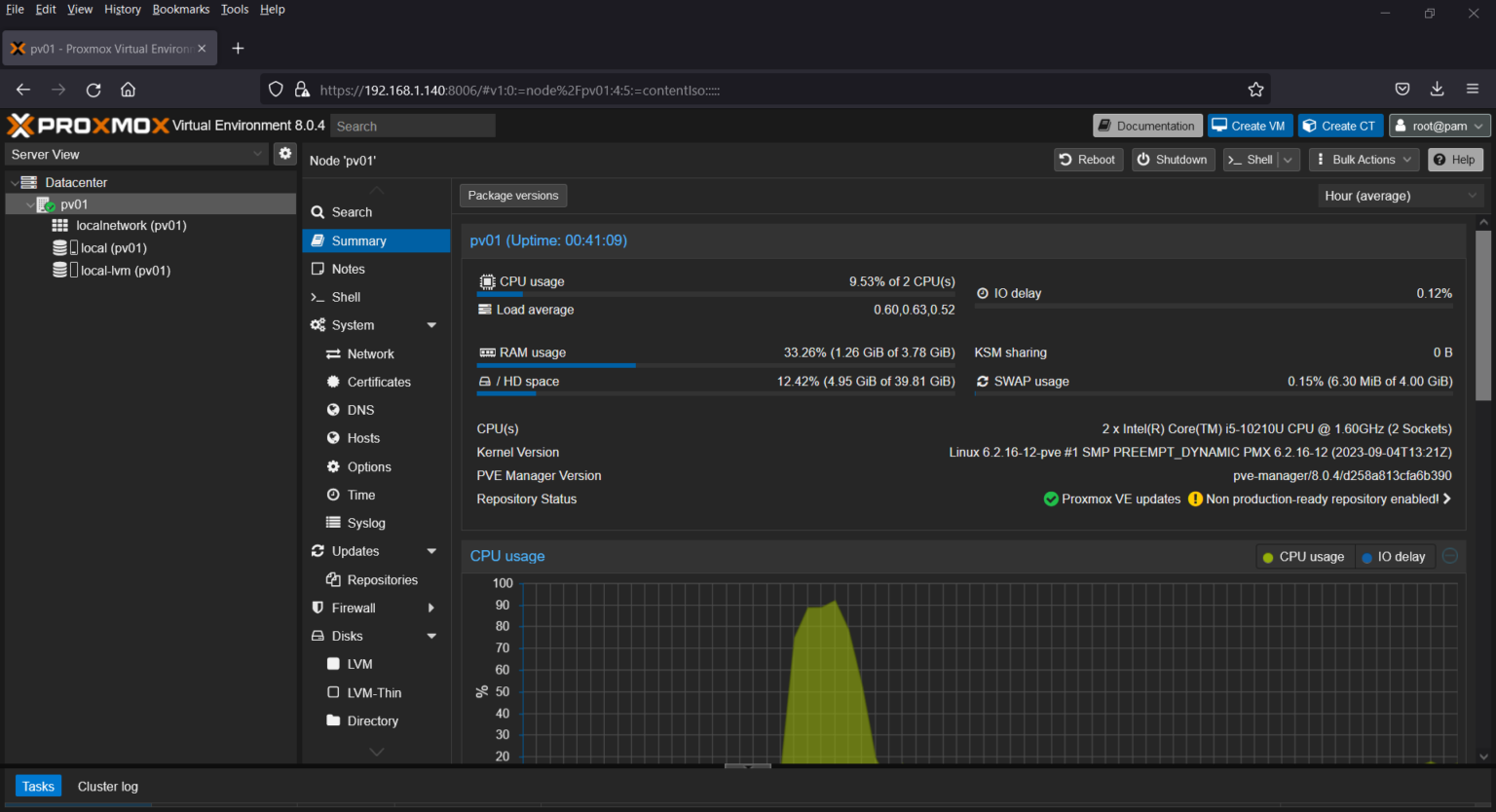
- Web-based Management: A sleek, intuitive interface accessible from any browser.
- Software-Defined Storage: Support for ZFS, Ceph, LVM, NFS, iSCSI, and more.
- Networking Tools: Virtual bridges, VLANs, and robust firewall capabilities.
- Backup and Restore: Integrated tools for snapshots and full backups, easily managed.
Why Proxmox is a Game-Changer for Home Lab Enthusiasts
For anyone building or maintaining a home lab, Proxmox offers an unparalleled suite of benefits that can transform your setup from chaotic to streamlined.
Unlocking Efficiency and Flexibility
Proxmox empowers you to do more with less:
- Hardware Consolidation: Instead of needing a server for Plex, another for Home Assistant, and a third for pfSense, Proxmox allows you to run all these as VMs or containers on a single, powerful machine.
- Resource Optimization: Dynamically allocate CPU, RAM, and storage to your VMs and containers as needed, ensuring your hardware is always working efficiently.
- Experimentation Playground: Easily spin up new operating systems, test software, or try out complex network configurations without fear of breaking your primary services. Snapshots allow instant rollbacks.
- Cost-Effective Solution: Being entirely free and open-source means you can build a professional-grade lab environment without licensing fees, saving your budget for hardware.
Powerful Features for Home Lab Enthusiasts
Beyond efficiency, Proxmox provides advanced capabilities often found only in expensive enterprise solutions:
- Unified Web Interface: Manage all your VMs, containers, storage, and networking from one central dashboard.
- Clustering for Scalability: Easily add more Proxmox nodes to your cluster, allowing for live migration of VMs and containers between physical hosts without downtime. This is powerful for expanding your lab without rebuilding.
- Snapshots and Backups: Take instant snapshots of your VMs before making changes, providing an easy rollback point. Integrated backup features protect your data.
- Flexible Storage Options: Utilize local storage, network shares (NFS/SMB), or even build a robust software-defined storage cluster with Ceph.
Practical Home Lab Scenarios with Proxmox
The possibilities are virtually endless. Here are just a few examples of what you can run:
- Media Servers: Plex, Jellyfin, Emby in a dedicated VM.
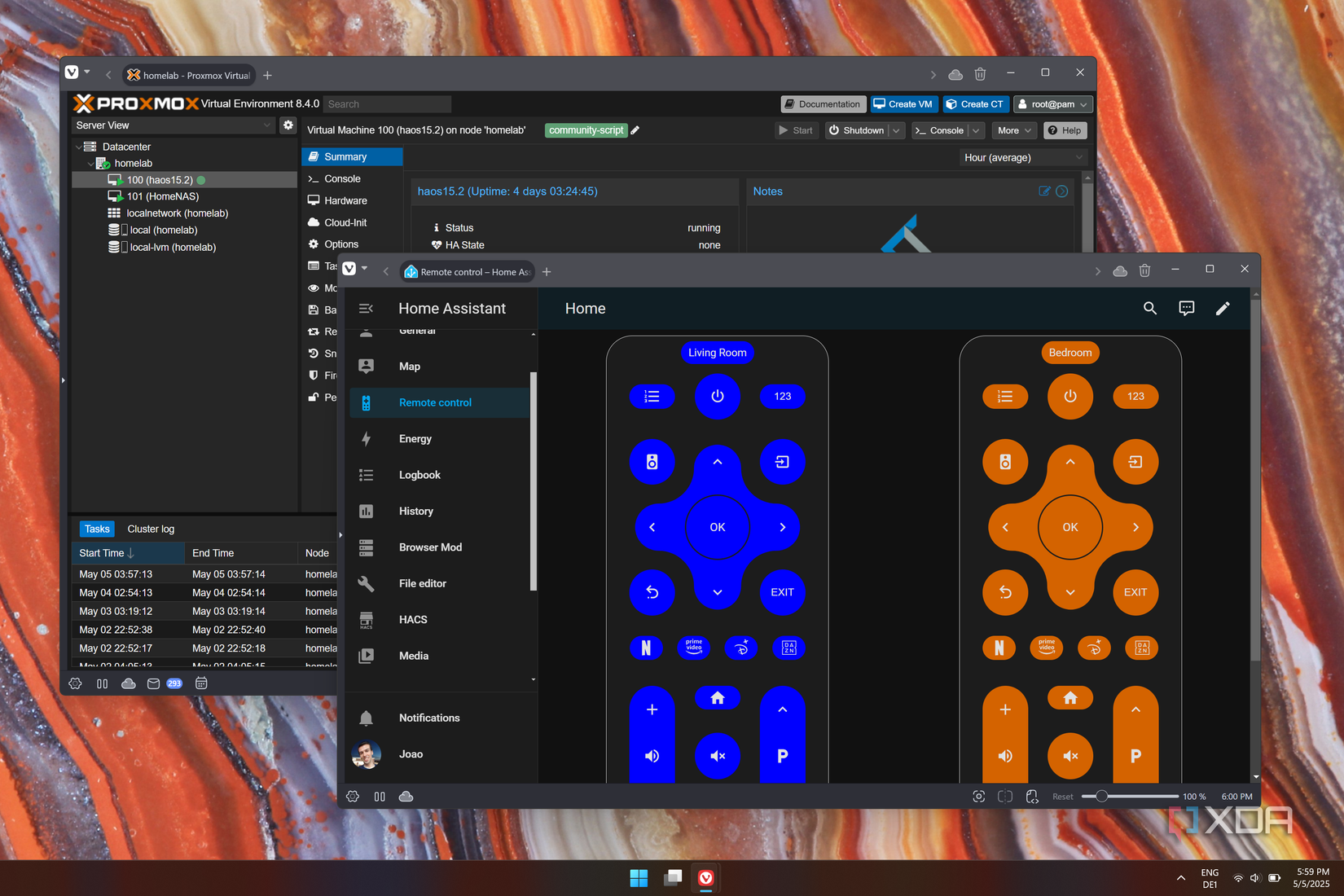
- Smart Home Hubs: Home Assistant, Node-RED, or OpenHAB in an LXC container.
- Network Services: pfSense or OPNsense as your virtualized router/firewall. Pi-hole for network-wide ad blocking.
- Self-Hosted Cloud: Nextcloud, Owncloud, or Seafile for personal file syncing and sharing.
- Learning & Development: Spin up multiple Linux distributions to learn new skills or test applications.
- Game Servers: Host Minecraft, Valheim, or other game servers for friends and family.
Managing your virtual infrastructure is straightforward. Here's an example of how you might list all VMs and containers from the Proxmox command line, directly on the host:
pvesh get /cluster/resources --type vm,ct
Conclusion: Unleash Your Home Lab's Full Potential
Proxmox VE is more than just a hypervisor; it's an empowering platform that transforms your home lab into a flexible, efficient, and professional-grade environment. It democratizes powerful virtualization technologies, making them accessible and easy to manage for enthusiasts and professionals alike.
By consolidating your hardware, optimizing resources, and providing a wealth of advanced features for free, Proxmox dramatically reduces complexity and unlocks new possibilities for experimentation and self-hosting. If you're ready to elevate your home lab experience, Proxmox is an absolute must-try.
Ready to dive in? Download Proxmox VE today and start building the home lab of your dreams! Share your experiences and favorite Proxmox projects in the comments below!